

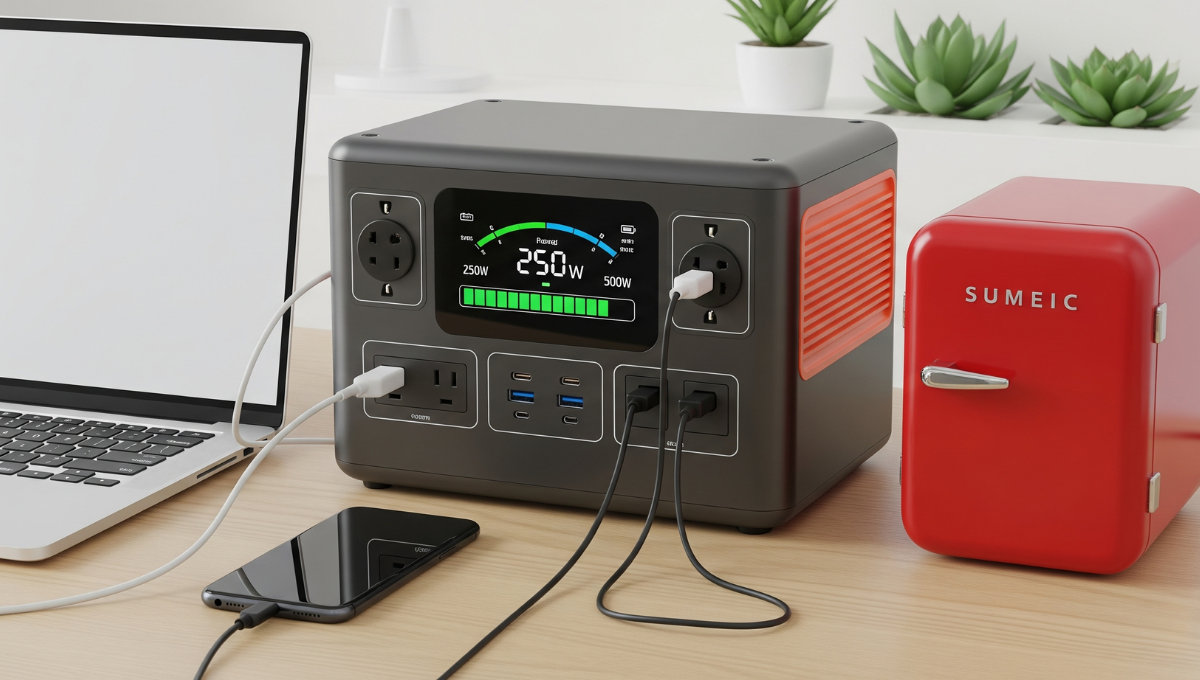
Modern portable power stations tempt users with arrays of outlets – two AC ports, four USB chargers, a car socket, and DC outputs all promising simultaneous operation. Reality often delivers disappointment when plugging in multiple devices triggers unexpected shutdowns or reduced performance. This frustration stems from misunderstanding how power stations allocate their total capacity across ports, much like how a household circuit breaker limits what you can run despite having multiple sockets. In this article, we’ll explain the science behind port limitations, demonstrate real-world usage scenarios, and teach smart strategies to maximize your station’s potential without tripping safety cutoffs.

-
Understanding Total vs. Port-Specific Power Limits
Manufacturer’s Maximum Combined Output
Every power station has a total wattage ceiling that’s often overshadowed by individual port specifications. For example, a unit advertising “300W AC + 100W USB-C + 60W USB-A” might have a maximum combined output of just 350W – meaning you can’t actually use all ports at their full rated power simultaneously. This ceiling acts like a water pipe’s diameter; individual faucets may promise high flow, but opening them all reduces pressure to each. High-quality stations clearly state this combined limit in manuals, while budget models bury it in fine print.
How AC/DC/USB Ports Share Capacity
The internal architecture of power stations divides available power between different port types through separate circuits. AC outputs (the standard wall outlets) typically consume the most capacity because they require the inverter to convert DC battery power to alternating current – a process that wastes 10-15% as heat. Meanwhile, DC and USB ports draw directly from the battery with less loss. When you plug in devices, the station’s power management system dynamically allocates resources, prioritizing AC outlets first, then USB-C PD ports, then standard USB-A. This explains why your phone might charge slower when the AC port is running a blender – the system is rationing power like a household during brownouts.
-
Real-World Simultaneous Use Cases
Phone + Laptop + Mini-Fridge (Will It Work?)
A common camping setup – charging a phone (10W), laptop (65W), and running a 12V mini-fridge (60W) – seems feasible on paper (135W total). However, real-world testing shows complications. The fridge’s compressor creates startup surges up to 3x its rated wattage (180W), while the laptop may briefly spike to 90W when charging from low battery. If your station has a 200W inverter, these overlapping surges could trigger an overload shutdown. The solution? Stagger device startups: run the fridge alone for 30 seconds before plugging in other devices.
Power Tools + LED Lights Combination
Construction users often pair a 100W LED work light with a 150W cordless tool charger, assuming well within a 300W station’s limits. The hidden factor? Tool batteries demand clean sine wave power – cheap inverters may struggle with their sensitive charging circuits, causing the station to derate its output (automatically lowering capacity to prevent damage). Meanwhile, the LED light’s power factor (how efficiently it uses electricity) might be just 0.7, meaning it actually draws 140W to produce 100W of light.
-
What Typically Happens During Overload
Automatic Shutdown vs. Performance Throttling
Quality stations employ two overload responses: immediate shutdown (like a circuit breaker) for severe overloads, or gradual throttling for moderate excess. Throttling might reduce USB ports from 18W to 5W when AC loads peak, noticeable as slower charging. Cheaper units often lack finesse – they either work perfectly or shut down abruptly. The determining factor is usually how far you exceed the limit: surpassing by 10% may trigger throttling, while 30% over typically causes instant shutdown.

Warning Signs Before Failure
Several subtle indicators precede overload failures: the cooling fan running at maximum speed constantly, USB ports intermittently disconnecting/reconnecting, or the display showing fluctuating wattage numbers. These symptoms suggest the station is struggling to balance demands. Another red flag is unusual heat from specific areas – perhaps one AC outlet feels hotter than others, indicating uneven power distribution. Like a car engine knocking before stalling, these signs allow proactive load management.
-
Smart Power Distribution Strategies
Sequencing High-Demand Devices
The key to maximizing port usage lies in understanding device power curves. A CPAP machine (40W) might seem harmless, but its initial surge when the humidifier heats up could briefly hit 120W. Pair this with a 150W coffee maker starting simultaneously, and you’ve potentially spiked beyond your station’s capabilities even though both devices normally run below half its capacity. Smart users create a “power-up sequence”: start surge-heavy devices first, wait 15 seconds for stabilization, then add steady-load items.
Leveraging Different Port Types
Balancing loads across port types prevents inverter bottlenecks. For instance, powering a 100W device through AC and a 60W one via DC helps distribute the load and prevents straining the AC inverter alone.USB-C PD ports often handle up to 100W without engaging the main inverter – perfect for laptops that would otherwise require an AC adapter. This strategy works like traffic management: using all lanes (port types) prevents congestion on any single roadway.
-
Safety Considerations
Overheating Risks
Simultaneous multi-port use generates cumulative heat – not just from the inverter but from resistance in cables and connectors. A station running at 80% capacity for hours may thermally throttle even if technically below its maximum rating. Danger zones include stacked devices (blocking ventilation), using damaged cables (increased resistance), or operating in direct sunlight. The safest practice is the “backpack rule”: if the station’s surface feels uncomfortably hot to touch (like a too-warm backpack strap), reduce loads immediately.
Circuit Protection Systems
Modern stations incorporate multiple safeguards: temperature sensors that reduce output before critical heat levels, MOSFET transistors that fail safely (rather than catastrophically), and separated fuses for different port groups. However, these systems have limits – repeatedly triggering protection mechanisms stresses components over time.
Conclusion
Portable power stations can indeed run multiple ports simultaneously – but not necessarily at full capacity. By understanding combined limits, sequencing high-demand devices, and balancing loads across port types, you’ll avoid 90% of overload issues. For those selecting a new unit, the EcoFlow portable power station offers transparent load management displays and robust multi-port performance that simplifies these calculations. Remember: your station’s ports are like seats at a dinner table – while you can squeeze in extra guests, everyone eats better when you respect the intended capacity.
